



Overview
At Alliant, we release monthly software updates that include improvements, security enhancements, and new features. Keeping your system up-to-date ensures optimal performance and access to the latest features.
To check your current software version, navigate to the Business button → About Alliant. You’ll find the “Released” date displayed there.
Customers can request updates to their system by contacting our Support team. Unless otherwise specified, your system will be updated to the latest version available.
Important Note: As part of the enhancements in the September 2024 build, updates to the application’s core frameworks require new system specifications to ensure compatibility and performance. Review the System Requirements for September 2024 and Later Builds article for more details.
Visit the Product Updates page in our Community to stay informed about software updates. You can also subscribe to this page to receive email notifications when new versions are published.
This guide explains the update request process and what you can expect when submitting a request.
Submitting an Update Request
To request an update, please send an email to support@alliantsystems.com.
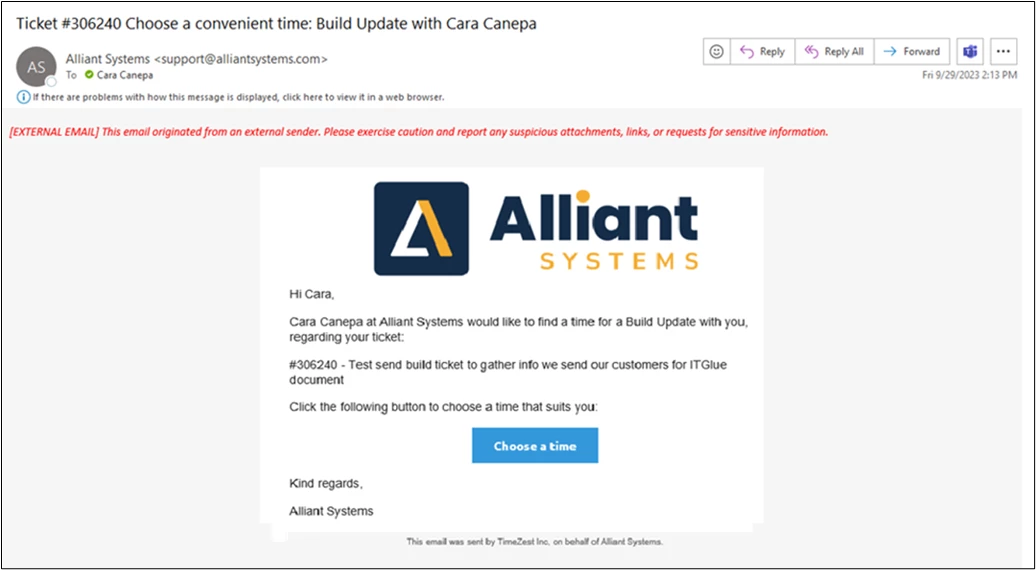
- Within two business days, you will receive an email with details about the update process and a link to schedule your update.
- Time slots are available on a first-come, first-served basis every Friday (excluding holidays or company events) from 2 p.m. to 8 p.m. CST.
Build Requirements for Updates
To ensure ongoing compatibility and access to new features, we require customers to be on a build that is within 15 months of the current date. For example, as of January 2025, your system must be running a version released no earlier than October 2023.
Scheduling Tool Email Example:
Service Update Notifications
We may notify you via email if your system requires an update due to one of the following reasons:
- A bug fix relevant to your system has been released.
- A custom programming change you or your team requested has been completed.
- Your system is running an outdated software version that must be updated.
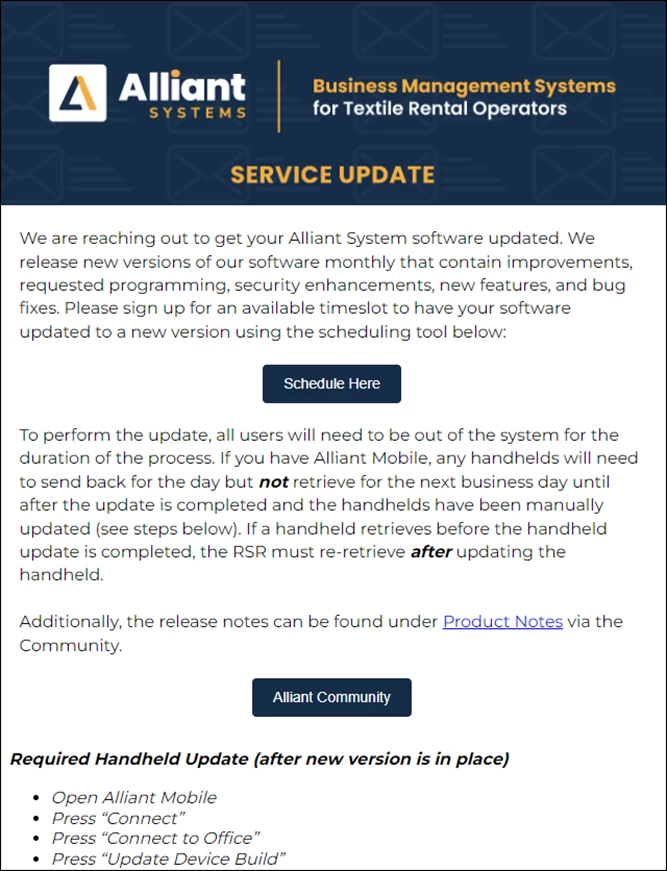
The Service Update email will include a clickable “Schedule” button and all the information needed to complete the update process.
Service Update Example:
Scheduling Page: