



LinenFinder LeadFlow - Adding and Adjusting Pipeline Stages

Overview
Pipeline stages help LinenFinder LeadFlow users quickly manage and track opportunities by organizing them into customizable statuses. These stages provide a clear view of where each opportunity sits within the sales process.
Sales manager users (admin-level access) can create and adjust pipeline stages by following the steps below.
Adding and Adjusting Pipeline Stages
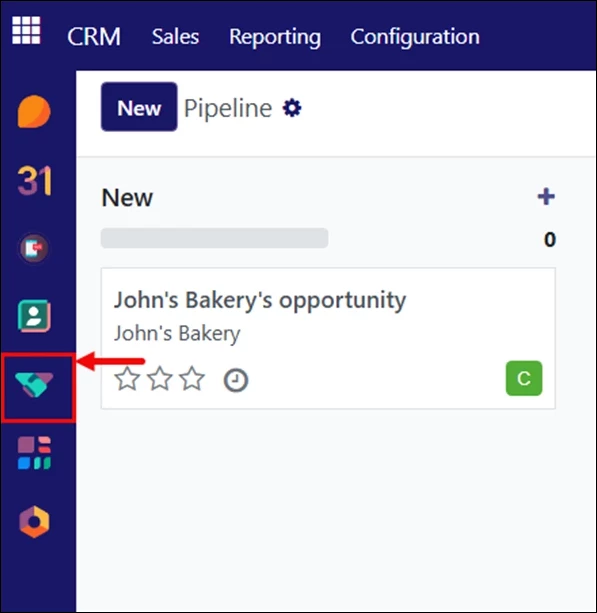
Log in to your LinenFinder LeadFlow account and open the CRM screen from the left-side navigation menu.
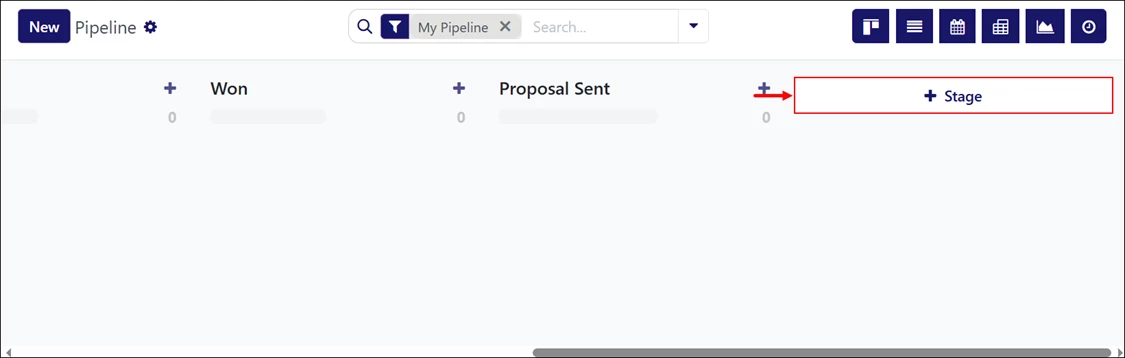
Scroll to the far-right of the screen and click “+ Stage.”
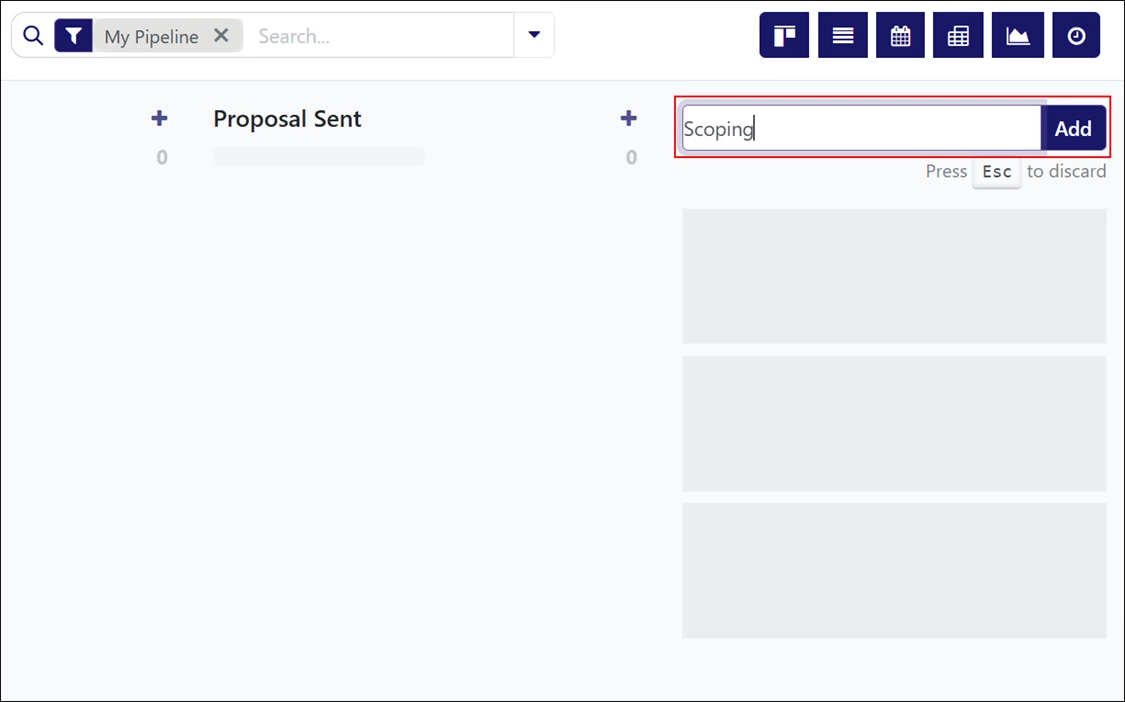
Enter the stage name and click “Add.”
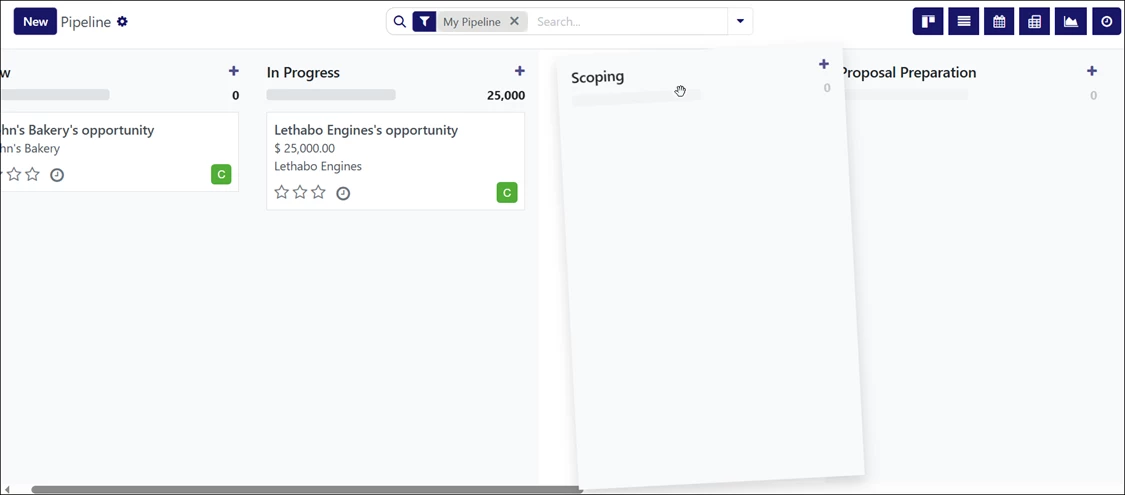
Drag and drop the stage to place it in the desired position within the pipeline. Changes are saved automatically.
Video Resource
Follow along the video below for more information on adding and adjusting pipeline stages in LinenFinder LeadFlow.