


LinenFinder LeadFlow - Password Reset Methods

Overview
This article explains the available methods for changing or resetting passwords in LinenFinder LeadFlow.
Passwords can be updated by a sales manager, changed by a logged-in user, or reset from the login screen when access to the account is unavailable.
When to Use Each Method
| Scenario | Recommended Method |
| User forgot password and cannot log in | Reset password from login page |
| User wants to update password | Change password while logged in |
| Employee requires assistance changing password | Sales manager changes user password |
Method 1: Reset Password from Login Screen
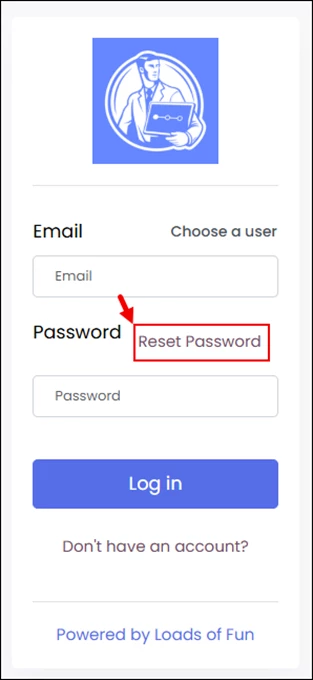
If you are unable to log in, use the “Reset Password” option in the login screen.
Steps
- Navigate to the login page.
- Select the “Reset Password” option.
- Follow the prompts provided. You will receive an email containing a reset password link.
- Log in using the updated credentials.
Method 2: Logged-In User Changes Their Own Password
If you are already logged in and would like to the password, follow the steps below.
Steps
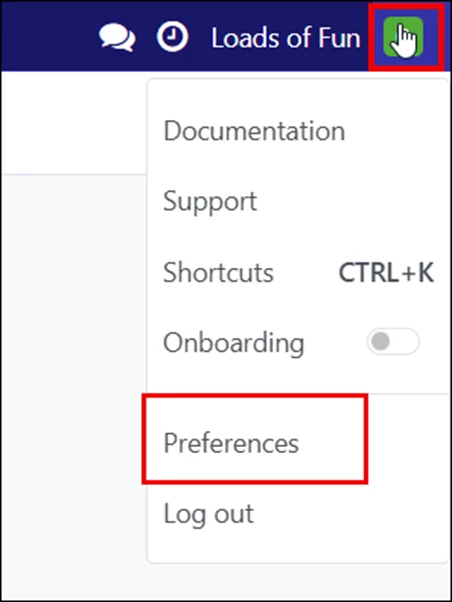
- Click your profile icon in the top-right corner of the screen.
- Select “Preferences.”
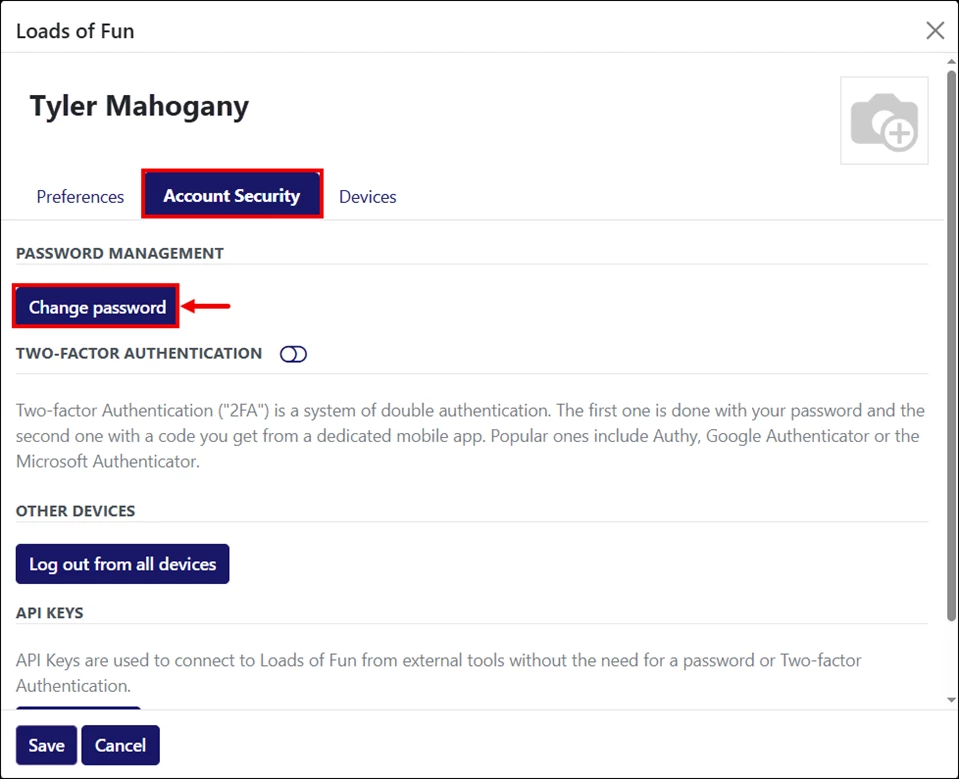
- Open the Account Security tab.
- Click “Change Password.”
You will be prompted to enter your current password. Click “Confirm Password.”
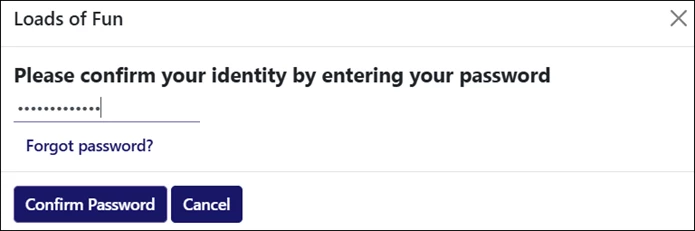
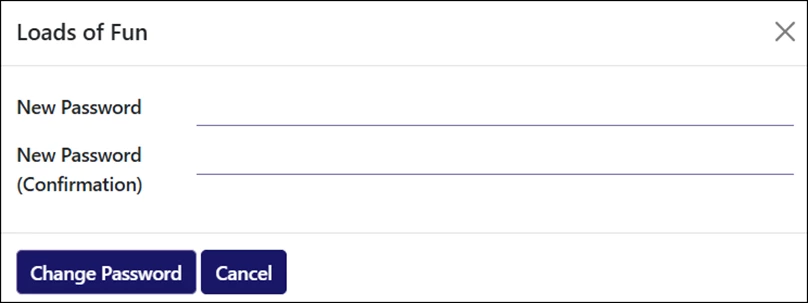
- Enter and confirm the new password.
- Click “Change Password” to keep the changes.
Method 3: Employee Requires Assistance Changing Password
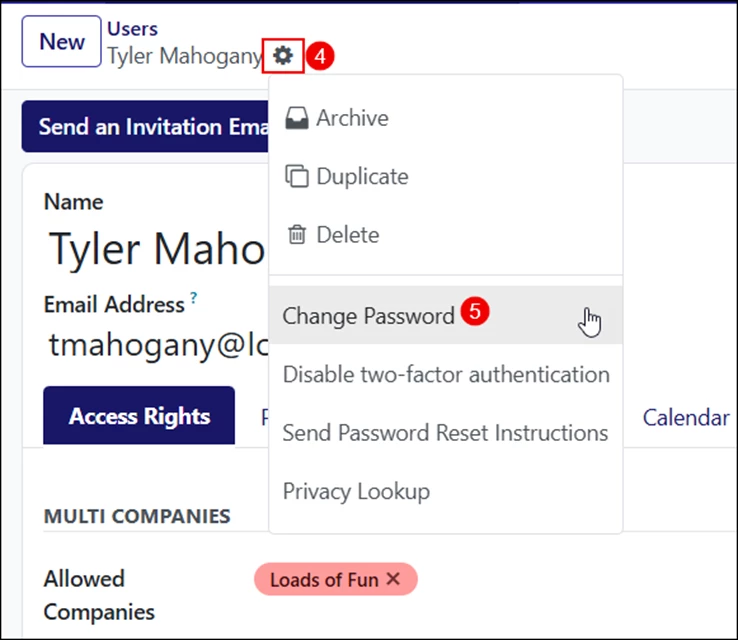
Sales managers can update passwords for other employees directly within the system.
Steps
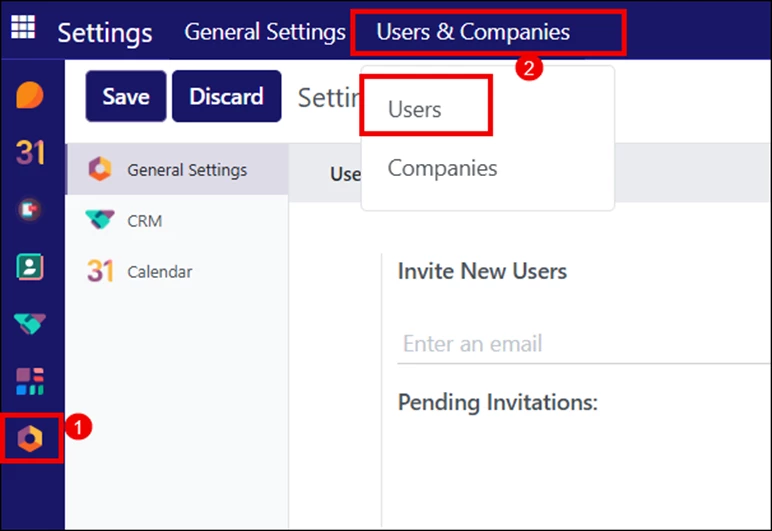
- Go to the Settings screen from the left-side navigation menu.
- Open the “Users & Companies” dropdown and select “Users.”
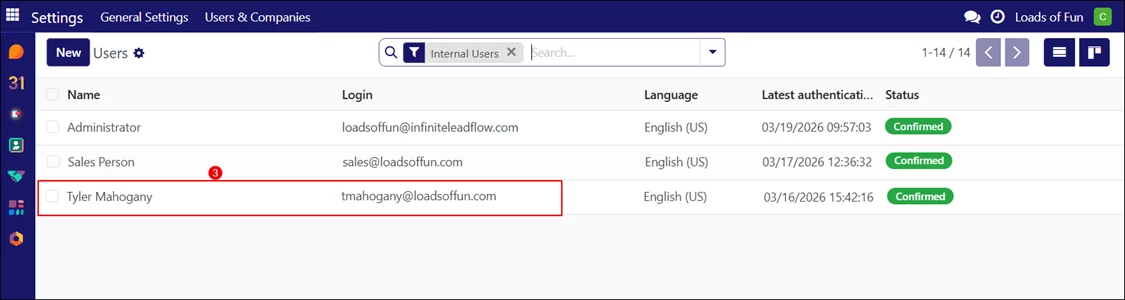
- Open the required user record from the list.
- Click the gear icon.
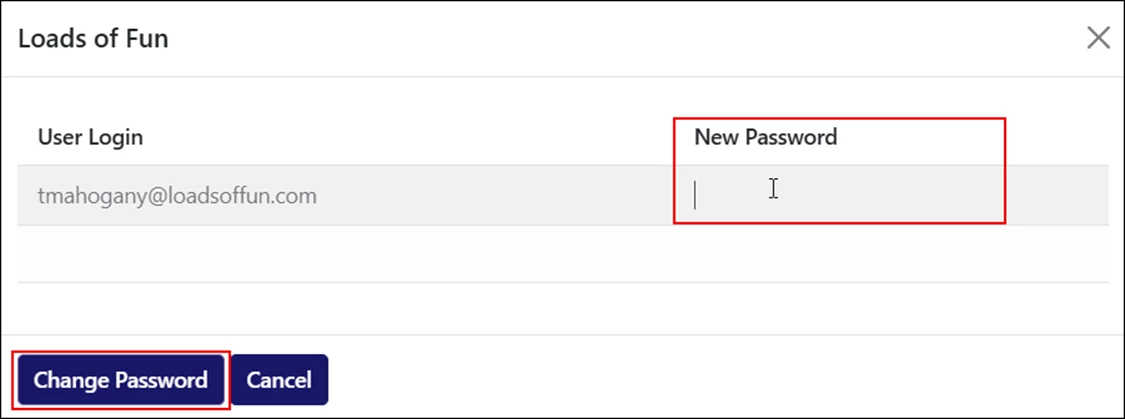
- Select “Change Password.”
- Enter and confirm the new password.
- Click "Change Password” to keep the changes.